Visio for Business Analysts
Microsoft Visio is the diagram tool many companies already pay for, so it is often the one a business analyst is expected to use. These tutorials show the diagrams BAs draw most: flowcharts, swimlane process maps, BPMN, use case diagrams, entity relationship (ER) diagrams, data flow diagrams and context diagrams. Each one is built from an empty page, with the written steps under the video.
Why business analysts use Visio
A diagram is often the fastest way to agree on how something works. A process map shows a team where a hand-off breaks. An ER diagram shows a developer which data belongs together. A context diagram shows a sponsor what is in and out of scope. Visio is good at this because its shapes snap to a grid, connectors stay glued when you move a shape, and the file opens for anyone else in a Microsoft workplace.
Which templates and stencils you see depends on your Visio plan and version. If a lesson uses a template you can't find, check which plan you have before assuming you did something wrong.
Where to start
If you are new to Visio, start with the basic flowchart. It teaches the moves every other diagram uses: dragging shapes from a stencil, gluing connectors, adding text and lining things up. Then try the swimlane diagram, which is the process map most BAs are asked for first. After that, pick the diagram your project needs: BPMN for detailed process models, use case diagrams for who does what with a system, and ER diagrams for data.
The ER lessons build up in small steps: one-to-many first, then many-to-many, crow's foot cardinality, primary and foreign keys, and normalisation. Watch them in that order if data modelling is new to you.
Tips that save time
Use the align and distribute tools instead of nudging shapes by eye; a tidy diagram is easier to review and gets fewer questions about layout. Keep one idea per page: a level 1 data flow diagram and a level 0 context diagram belong on separate pages, not squeezed together. And label every decision branch, because an unlabelled arrow out of a diamond is the most common question in a review.
The videos
31 videos, in the order we suggest watching them.
 How to Make a Basic Flowchart in Visio (Step by Step)
 How to Draw a BPMN Diagram in Visio (Beginner Friendly)
 How to Make a Data Flow Diagram (DFD) in Visio, Step by Step
 How to Make a Use Case Diagram in Visio (UML for Business Analysts)
 How to Make an ER Diagram in Visio (Crow's Foot Notation)
 How to Draw a Context Diagram in Visio (DFD Level 0)
 Many-to-Many Relationships in an ER Diagram (Junction Table in Visio)
 How to Show a Loop (Rework) in a Visio Flowchart
 Flowchart Symbols Explained: Document, Data, Database and Subprocess in Visio
 Include vs Extend in Use Case Diagrams (Drawn in Visio)
 BPMN Data Objects and Data Stores in Visio (Show the Paperwork)
 Crow's Foot Notation Explained: The 4 Cardinality Symbols (Visio ER Diagram)
 How to Change Connector Styles in Visio (Right-Angle, Straight, Curved)
 How to Align and Distribute Shapes in Visio (Neat Diagrams Fast)
 How to Turn Interview Notes into a Flowchart in Visio (4 Simple Rules)
 How to Merge Paths in BPMN with a Gateway (Visio Step by Step)
 How to Show a Decision With 3 Outcomes in a Visio Flowchart
 Actor Generalization in Use Case Diagrams (UML in Visio)
 Primary Key vs Foreign Key, Explained on an ER Diagram in Visio
 How to Draw an EPC Diagram in Visio (Event-Driven Process Chain)
 How to Turn Requirements into an ER Diagram (Find the Entities) in Visio
 How to Use On-Page References in a Visio Flowchart (No More Spaghetti Lines)
 BPMN Sub-Process in Visio: Hide the Detail, Keep the Big Picture
 How to Draw a Level 1 Data Flow Diagram in Visio (DFD Step by Step)
 How to Make an Org Chart in Visio (Stakeholder Map for Business Analysts)
 How to Make a Swimlane Diagram in Visio (Cross-Functional Flowchart)
 ER Diagram for a Library Management System (Visio Example, Crow's Foot)
 ER Diagram for a Hospital Management System (Visio Example, Crow's Foot)
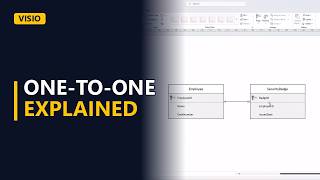 One-to-One Relationships in an ER Diagram: When to Use Them (Visio)
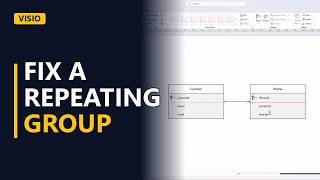 Normalization in an ER Diagram: Fix a Repeating Group (First Normal Form, Visio)
 ER Diagram for an Online Course Platform (Visio Example, Crow's Foot)