Primary Key vs Foreign Key, Explained on an ER Diagram in Visio
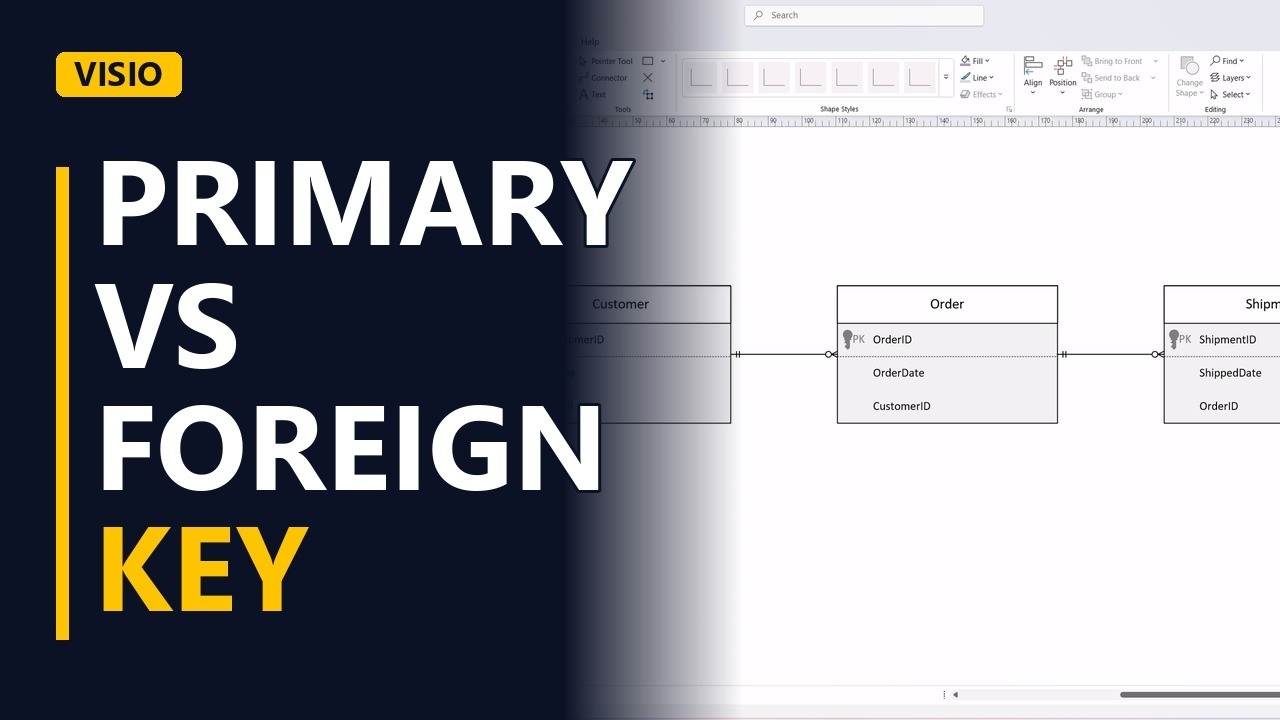
A primary key makes each row unique. A foreign key points to a row in another table. Learn the difference, and how foreign keys create the relationships in a crow's foot ER diagram, drawn in Visio.
Step by step
- Primary vs foreign key. Primary key and foreign key. Every business analyst hears these words in data meetings. Let's make them simple, with a small ER diagram in Visio.
- Crow's Foot stencil. I'm using the Crow's Foot Database Notation stencil.
- Primary key. Here's a customer entity. The first row is the primary key, customer ID. No two customers can ever share it. Notice the key icon on that row. A primary key is unique, never empty, and it never changes, so don't use something like an email address.
- Foreign key. Now an order entity, with its own primary key, order ID. Look at the last row. Customer ID again. That's a foreign key. It's a copy of another entity's primary key, and it says which customer placed this order.
- The relationship. The foreign key is what creates the relationship. Connect customer to order. One customer places zero or many orders.
- The many side. Notice where the foreign key lives. Always on the many side, the end with the crow's foot.
- Practice. One more. Each order can be shipped in several parcels. Add a shipment entity. Where does the foreign key go? On the many side, in shipment. Order ID. Connect them. One order has zero or many shipments.
- Done. Click away to see the finished model.
- The rule. So, a primary key identifies a row in its own table. A foreign key points to a row in another table, and it always sits on the many side of the relationship.