Mermaid for Business Analysts
Mermaid draws diagrams from text. Instead of dragging boxes and arrows, you type a few short lines, such as "Customer --> Checkout", and Mermaid draws the diagram for you. It is free, and many tools business analysts already use can show Mermaid diagrams, including GitHub, GitLab and several wiki and notes tools. These tutorials use the free Mermaid Live Editor in the browser.
Why text diagrams help a BA
A text diagram is quick to change: rename a step in one place and the drawing updates. It fits in a requirements document or a pull request, and you can see exactly what changed between two versions. It also works well with AI chat tools, which can write a first draft of the Mermaid text from your notes; the lesson on generating diagrams with AI shows how to check and fix that draft rather than trusting it.
What you will learn
Flowcharts first, including decisions and subgraphs used as swimlanes. Then sequence diagrams for how systems and people talk to each other, including alternative paths and loops. Then data and structure: ER diagrams, class diagrams and context diagrams. There are also Gantt charts for simple plans, state diagrams, user journeys, mind maps, and a BPMN-style process and use-case-style diagram for when a team wants those ideas in text form.
A tiny example
Type these three lines into the Mermaid Live Editor: flowchart LR, then A[Order placed] --> B{In stock?}, then B -->|Yes| C[Ship order]. Mermaid draws two boxes and a decision diamond joined by arrows, with Yes on the arrow out of the diamond, all laid out from left to right. Every lesson builds on that same pattern.
Where your diagram shows up
GitHub and GitLab draw Mermaid diagrams straight from a code block in Markdown, and so do notes tools such as Obsidian and Notion. Confluence Cloud does not draw Mermaid on its own: you either add a Marketplace app or paste an exported image. For most BAs the simple route is to keep the Mermaid text next to the requirement and paste the picture into the document.
Save and share it
In the Live Editor you can download the diagram as a PNG or SVG image, or copy a link that opens the same diagram for someone else. Keep the Mermaid text itself too, in the document or in a repository, because the text is what you edit next time; the image is only a snapshot.
Where to start
Start with flowchart basics in the Live Editor. Within a few minutes you will have a working diagram and understand the pattern every other Mermaid diagram follows: choose a diagram type on the first line, then describe the parts and the links. Mermaid lays the diagram out for you, which is fast but gives you less control over where each box goes. When exact layout matters, for a slide or a printed process map, the Mermaid vs draw.io and Visio lesson helps you choose.
The videos
22 videos, in the order we suggest watching them.
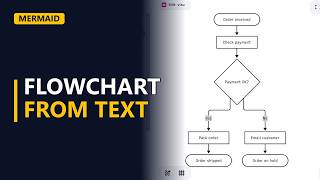 Mermaid Flowchart Tutorial: Your First Process Map
 Mermaid Sequence Diagram for a Login Flow
 Mermaid ER Diagram: Customers, Orders and Products
 Mermaid State Diagram: Order Status Lifecycle
 Mermaid Gantt Chart for a Project Plan
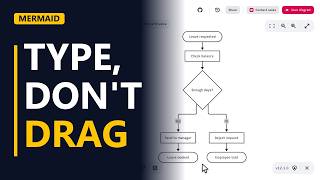 Mermaid for Business Analysts: Diagrams From Plain Text
 Generate a Mermaid Diagram With AI (ChatGPT, Claude, Gemini)
 Mermaid Diagram Types Every BA Should Know
 What Is a Mermaid Diagram? (And Why BAs Should Care)
 Mermaid Live Editor Tour: Write, Preview, Share
 From Requirements Text to a Mermaid Flow in 5 Minutes
 Swimlanes in Mermaid With Subgraphs
 Decisions and Loops in a Mermaid Flowchart
 System Context Diagram in Mermaid
 Mermaid Class Diagram for a Domain Model
 As-Is vs To-Be Process Map in Mermaid
 BPMN-Style Process Map in Mermaid
 Mermaid User Journey Map for Customer Onboarding
 Mermaid Mindmap for Brainstorming Requirements
 Mermaid Sequence Diagram: alt, opt and loop Blocks
 Mermaid vs draw.io vs Visio: Which Should a BA Use?
 Use Case Diagram in Mermaid (The Simple Workaround)