What Is a Mermaid Diagram? (And Why BAs Should Care)

A Mermaid diagram is a picture made from plain text. See it work on a refund process in the free Mermaid live editor, and learn why business analysts use it: quick to change, easy to version and easy to review.
Step by step
Text in, diagram out
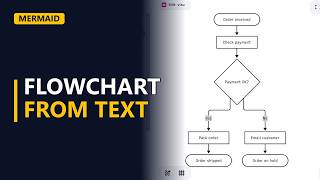
- What is Mermaid?. A Mermaid diagram is a picture made from text. You write lines like A --> B, and Mermaid draws the boxes and arrows. Here, a refund process for an online shop is made from 7 short lines.
See it work
- Diagram type. In the Mermaid live editor, clear the editor and type flowchart TD. TD means top down. The diagram type goes before the diagram's own lines.
flowchart TD - One line, one link. Each line makes one link. A([Refund asked]) --> B[Check receipt] joins 2 shapes with an arrow. The brackets pick the shape: ([ ]) gives a rounded start shape and [ ] gives a rectangle for a task. Mermaid draws the 2 shapes and the arrow from that text. You never place a box by hand.
A([Refund asked]) --> B[Check receipt] - Decisions. Curly brackets make a decision: C{Within 30 days?}. The Yes path goes to Pay refund and the No path goes to Offer store credit. Each label sits between 2 pipe characters, like -->|Yes|. Both paths end at the same shape. Write D --> F([Case closed]) once, then E --> F points the second path at the same ID, F. Mermaid draws the whole refund process from those 7 lines.
B --> C{Within 30 days?} C -->|Yes| D[Pay refund] C -->|No| E[Offer store credit]D --> F([Case closed]) E --> F
Why B As care
- Quick to change. Why it matters to a business analyst: it's quick to change. If the policy moves to 60 days, you edit the one line with Within 30 days? and the diagram redraws.
- Easy to version. It's easy to version. The diagram is plain text, so you can keep it next to your requirements in a wiki or in version control, and a reviewer sees exactly which line changed.
- Easy to review. It's easy to review. Anyone with a browser can open the text in the free Mermaid live editor, read it and suggest a fix. They don't need special software or a licence.
Recap
- The rules. Mermaid turns text into diagrams. Start with the diagram type, write one link per line and let Mermaid draw it. The result is quick to change, easy to version and easy to review.
Common mistakes
- Leaving out the diagram type. If there is no diagram type like flowchart TD, Mermaid shows an error and draws nothing. Put the type first. Only comments or a front-matter settings block may come before it.
- A new ID for a shape that already exists. Writing E --> G([Case closed]) gives you a second Case closed box. To join the shape you already have, reuse its ID: E --> F.
- Brackets inside a label. Text like B[Check receipt (paper)] confuses Mermaid, because brackets also pick the shape. Put the text in double quotes: B["Check receipt (paper)"].
- Typing end as a flowchart label. In a flowchart, a shape whose text is end in all lower case can break the diagram. Write End or END instead.
When a business analyst uses this
In a process-mapping workshop, the BA types the current refund process as Mermaid text while people talk, and the diagram redraws on screen. After the workshop the text is stored with the requirements, so each later policy change shows up as one changed line before sign-off.
Questions people ask
What types of diagram can Mermaid make?
As well as flowcharts, Mermaid can draw sequence diagrams, ER diagrams, state diagrams and more. The diagram type (for example flowchart, sequenceDiagram, erDiagram) always comes before the diagram's own lines, normally on the first line.
How do you view a Mermaid diagram?
Paste the text into the free Mermaid live editor in your browser, and it draws the diagram as you type. GitHub also draws Mermaid code blocks inside Markdown files.
Can Mermaid diagrams have colour?
Yes. In a flowchart you can colour a single shape with a style line, such as style D fill:#cfc, or set up a reusable look with classDef.