Mermaid Diagram Types Every BA Should Know
A quick tour of the six Mermaid diagram types a business analyst uses most: flowchart, sequence, ER, state, Gantt and user journey. Each one drawn from a few lines in the free Mermaid live editor, with an online shop example.
Step by step
Six types
- Six diagram types. Mermaid draws much more than flowcharts. These are the 6 types business analysts use most: flowchart, sequence, ER, state, Gantt and user journey. Each one starts with a single keyword, typed into the free Mermaid live editor.
Flowchart
- Flowchart. Type flowchart TD (top to bottom), then shape, arrow, shape. Square brackets make a box, curly brackets make a decision diamond like B{Paid?}, and the text between pipes, |Yes| and |No|, labels each path. The editor draws Order placed leading to Paid?, which splits into Ship order and Send reminder. Use a flowchart for any process with steps and decisions.
flowchart TD
    A[Order placed] --> B{Paid?}
    B -->|Yes| C[Ship order]
    B -->|No| D[Send reminder]
Sequence
- Sequence. Start with sequenceDiagram. Each line is one message. Customer->>Shop: Place order draws a solid arrow, which is a request. Shop-->>Customer: Send receipt draws a dotted arrow, which is a reply. Customer and Shop each get a lifeline, and time runs downwards, so the receipt sits below the order. This suits integrations between systems.
sequenceDiagram
    Customer->>Shop: Place order
    Shop-->>Customer: Send receipt
E R
- ER diagram. Start with erDiagram. In CUSTOMER ||--o{ ORDER : places, the 2 bars mean exactly one and the crow's foot means many: o{ is zero or more, |{ is one or more. The verb, places or contains, goes after the colon. You get CUSTOMER, ORDER and ORDER_LINE boxes joined by labelled lines. Use it to agree with developers what data the system keeps and how it connects.
erDiagram
    CUSTOMER ||--o{ ORDER : places
    ORDER ||--|{ ORDER_LINE : contains
State
- State. Start with stateDiagram-v2. [*] marks the start and the end. The order moves from Placed to Shipped to Delivered, with one arrow per line. Each box is a status the order can be in, and each arrow is an allowed move between statuses. This makes it a good fit for status rules.
stateDiagram-v2
    [*] --> Placed
    Placed --> Shipped
    Shipped --> Delivered
    Delivered --> [*]
Gantt
- Gantt. Start with gantt and dateFormat YYYY-MM-DD, then a section called Plan. Each task has a name, an ID, a start and a length: Analysis :a1, 2026-11-02, 5d. Build uses after a1, so it waits for Analysis to finish and then runs for 10d. Mermaid draws the bars from the dates, with no dragging. Change Analysis from 5d to 7d and Build moves along with it.
gantt
    dateFormat YYYY-MM-DD
    section Plan
    Analysis :a1, 2026-11-02, 5d
    Build :a2, after a1, 10d
Journey
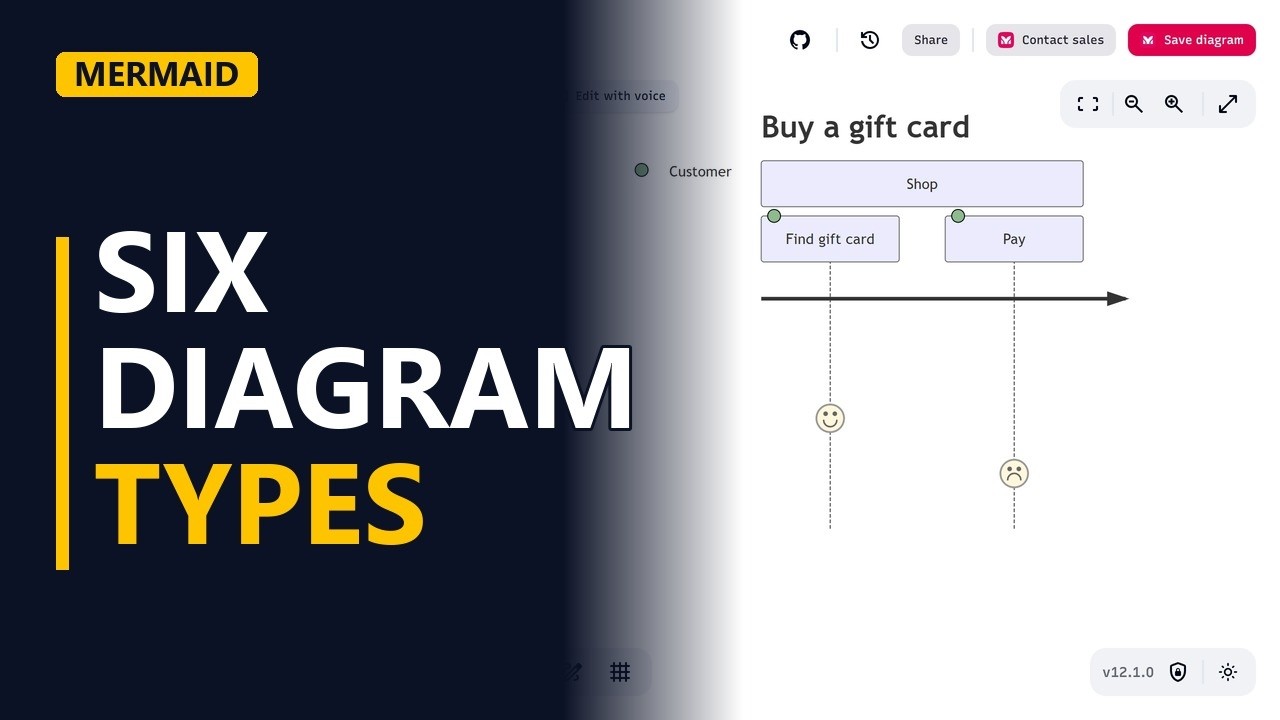
- User journey. Start with journey, a title (Buy a gift card) and a section (Shop). Each task gets a score from 1 to 5 for how the customer feels, then who does it: Pay: 2: Customer. Low scores show the pain points. Find gift card scores 4, but Pay scores only 2, so it gets a sad face. That's where to dig.
journey title Buy a gift card section Shop Find gift card: 4: Customer Pay: 2: Customer - The keyword. Notice the pattern: the first word picks the diagram type, and everything after it is plain lines of text.
Recap
- The rules. Flowchart for a process, sequence for messages, ER for data, state for the life of a status, Gantt for a plan, and journey for how users feel.
Common mistakes
- Picking the wrong ER symbol. o{ means zero or more and |{ means one or more. If every order must have at least one line, ||--o{ hides that rule from developers, so check each end of the line with the business.
- Writing -> instead of ->> in a sequence diagram. -> draws a solid line with no arrowhead, so the reader can't see the direction. Use ->> for a request and -->> for a reply.
- Gantt dates that don't match dateFormat. With dateFormat YYYY-MM-DD, a date typed as 02/11/2026 won't be read correctly. Type every date in the format you declared, like 2026-11-02.
- Using end as text in a flowchart. Mermaid reads a lowercase end as a keyword, which can break the flowchart. Capitalise it, for example D[End] or D[END].
When a business analyst uses this
In a requirements workshop about order handling, type the stateDiagram-v2 live while the team talks: Placed, Shipped, Delivered, plus any new status like Cancelled. Everyone sees which moves are allowed, and the same lines of code go into the requirements document for sign-off.
Questions people ask
What other diagram types can Mermaid make?
Besides these 6, Mermaid can draw class diagrams, pie charts, mindmaps, timelines and git graphs, among others. Each one starts with its own keyword.
Is the Mermaid live editor free?
Yes. The Mermaid Live Editor at mermaid.live is free to use in a browser, and Mermaid itself is open source.
Does GitHub show Mermaid diagrams?
Yes. Put the code in a Markdown code block marked mermaid, and GitHub draws the diagram in READMEs, issues and pull requests.


