Mermaid vs draw.io vs Visio: Which Should a BA Use?

Mermaid, draw.io and Visio can all draw the same process map, but they win at different things. Build a small refund flow in the free Mermaid live editor and hear how the three tools compare on speed, looks and sharing for a business analyst.
Step by step
Three tools
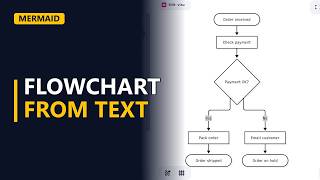
- Mermaid vs draw.io vs Visio. Mermaid, draw.io or Visio? All three can draw a process map, so which should a business analyst use? Here's the refund flow we'll build in Mermaid, and as we type, I'll compare it with the other two.
Speed
- Speed. Mermaid is free and runs in the browser. Clear the editor and type flowchart TD. In draw.io or Visio, you would open a blank page and find a shape set first. Now type the first two steps. A refund is requested, then someone checks the receipt. One line gives you two shapes and the arrow between them. Add the decision in curly brackets, and its two labelled paths. Yes refunds the customer, no explains the refusal. And there it is. No dragging, no lining up boxes. For a quick map, typing is often faster than drawing. Both paths end in the same place, so send them to one rounded end shape. Request closed.
flowchart TDA([Refund requested]) --> B[Check receipt]B --> C{Receipt valid?} C -->|Yes| D[Refund customer] C -->|No| E[Explain refusal]D --> F([Request closed]) E --> F
Looks
- Looks. Here's the whole flow. Mermaid places every shape for you. That's quick, but you can't move one box where you want it. draw.io and Visio let you place every shape by hand. So for a polished diagram in a big document, or a wide BPMN model with swimlanes, the drawing tools look better. Visio is the one many large companies already use.
Sharing
- Sharing. Now sharing. A Mermaid diagram is just text. You can paste it into a wiki or a ticket, and many tools, like GitHub and Notion, draw it for you. A change is one edited line, and anyone can see what changed. draw.io saves a free file you share or keep in a drive. Visio is paid, and the reader usually needs it too.
Pick one
- Pick the tool. Use Mermaid for quick maps that live next to the requirements. Use draw.io for free, neat diagrams you place by hand. Use Visio when your company already has it and wants its files.
Recap
- The rules. So, Mermaid wins on speed and sharing as text. draw.io wins on free, neat layouts. Visio wins when the company already uses it. Many analysts use more than one.