SUM, AVG, MIN, MAX in SQL: Summary Stats for a Report
Four functions give you the summary line of almost any report: SUM, AVG, MIN and MAX. Build them up in one query on the orders table, round the average, then add WHERE to get the same stats for delivered orders only.
Step by step
Summary stats
- The summary line. Most reports start with a summary line: total sales, the average order, the smallest order and the biggest. In SQL, 4 functions give you all of it in one query on the orders table.
SUM
- SUM. SUM adds up a column. Type SELECT SUM(order_total) AS sales FROM orders; to total the order_total column and name the result sales. Run it. You get 1 row with sales of 15,322, which is every order added up.
SELECT SUM(order_total) AS sales FROM orders;
AVG
- AVG. AVG gives the average. Add a comma after AS sales, then a new line: ROUND(AVG(order_total), 2) AS average. ROUND with 2 keeps 2 decimal places, so you don't get a long string of decimals. Run it again. The average order is about 109.
SUM(order_total) AS sales,
  ROUND(AVG(order_total), 2) AS average
MIN and MAX
- MIN and MAX. MIN gives the smallest value and MAX the biggest. Add a comma after AS average, then MIN(order_total) AS smallest and MAX(order_total) AS biggest, each on its own line with a comma between them. Run it. You get 4 numbers in 1 row. The smallest order was 11.
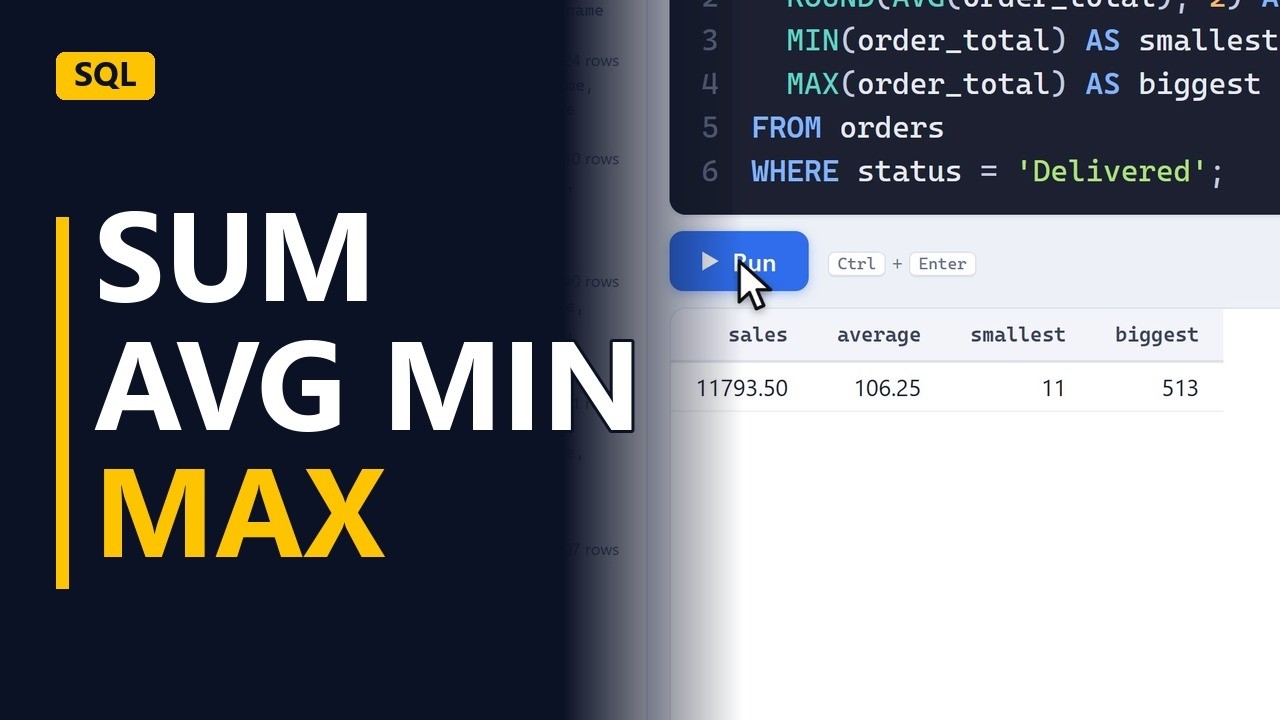
AS average, MIN(order_total) AS smallest, MAX(order_total) AS biggest - The biggest order. The biggest column shows 513. Total, average, smallest and biggest now sit in one row, from one short query.
Add a filter
- Add WHERE. Cancelled orders shouldn't count as sales. Change the last line to FROM orders, then add WHERE status = 'Delivered'; on a new line. The semicolon moves to the end of the WHERE line. Run it again. WHERE removes the other rows first, so all 4 functions now look only at delivered orders.
FROM orders WHERE status = 'Delivered'; - Delivered only. Delivered sales are 11,793, with an average of about 106. Both are lower than before, because cancelled orders no longer count.
Recap
- Four functions. SUM adds up, AVG averages, MIN finds the smallest and MAX the biggest. Wrap AVG in ROUND to tidy it, and use WHERE to filter the rows before they are counted.
Common mistakes
- A missing comma between columns. Each item in the SELECT list needs a comma after it, except the last. Leave one out, for example after AS sales, and the query fails with a syntax error.
- Mixing a plain column with the functions. SELECT status, SUM(order_total) FROM orders; fails in most databases, and some return a misleading result. If you want one summary line per status, add GROUP BY status.
- Putting an aggregate in WHERE. WHERE filters rows before the totals are worked out, so WHERE SUM(order_total) > 1000 doesn't work. To filter on a total, use GROUP BY and then HAVING SUM(order_total) > 1000.
- Forgetting that blanks are skipped. SUM, AVG, MIN and MAX ignore NULL values, so AVG only averages the rows that have a value. If an empty order_total should count as 0, use COALESCE(order_total, 0) inside the function.
When a business analyst uses this
Before a workshop on a new refunds process, run SUM, AVG, MIN and MAX on last quarter's refunds, filtered with WHERE to completed refunds only. The group then starts from real numbers: the total, a typical refund and the extremes. An odd MAX is often worth an entry in the RAID log.
Questions people ask
What are SUM, AVG, MIN and MAX called in SQL?
They are aggregate functions. Each one takes many rows and returns a single value, such as a total or an average.
How do I add COUNT to SUM, AVG, MIN and MAX?
Add COUNT(*) AS orders to the same SELECT list, with a comma before it. It counts the rows, and it follows the same WHERE filter as the other functions.
Can I get SUM, AVG, MIN and MAX in one SQL query?
Yes. Put all 4 in the same SELECT, separated by commas, and you get them side by side in 1 row. Each one gets its own name with AS.
