draw.io for Business Analysts
draw.io (also called diagrams.net) is a free diagram tool you can use in the browser or as a desktop app. It has shape libraries for flowcharts, BPMN, UML, entity relationship diagrams and more, which makes it a good free alternative to Visio for a business analyst. These tutorials cover the diagrams BAs are asked for most, each built step by step.
What you will learn
The lessons cover process diagrams (flowcharts, swimlanes, BPMN basics, BPMN pools and lanes, value stream maps and as-is to to-be comparisons), system and data diagrams (context diagrams, level 1 data flow diagrams, ER diagrams, class diagrams and system architecture), behaviour diagrams (use case, state and activity diagrams) and quick screen wireframes. There are also lessons on the small skills that make a diagram look finished: aligning and distributing shapes, and exporting to PDF or PNG for a document or slide.
Where to start
Start with the draw.io for business analysts overview, then the swimlane diagram. A swimlane is the process map you will draw most often, and it teaches the basics: finding shapes, connecting them and keeping everything lined up. Then pick the diagram your project needs right now. If your team uses Confluence or Google Drive, it is worth checking whether draw.io is available inside them, so diagrams live next to the documents that use them.
Tips
Turn on the shape libraries you need (More Shapes at the bottom of the shape panel) instead of searching for every shape. Save your files where your team can find them, since draw.io can save to your computer or to a cloud drive. And export a PNG for slides, but keep the editable .drawio file too; a picture can't be changed when the process does.
The videos
18 videos, in the order we suggest watching them.
 draw.io Tutorial for Business Analysts: Your First Flowchart
 Swimlane Diagram in draw.io (Cross-Functional Flowchart)
 BPMN in draw.io: Events, Tasks and Gateways
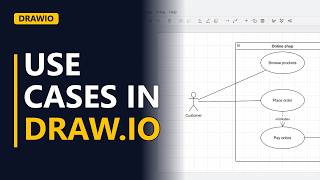 Use Case Diagram in draw.io (Actors and Use Cases)
 ER Diagram in draw.io With Crow's Foot Notation
 How to Make a Flowchart in draw.io: A Refund Process
 State Diagram in draw.io: Order Status Lifecycle
 BPMN Pools, Lanes and Message Flows in draw.io
 Simple System Architecture Diagram for BAs in draw.io
 As-Is vs To-Be Process Map in draw.io
 How to Align Shapes in draw.io (Neat Diagrams Fast)
 Wireframes and Mockups in draw.io
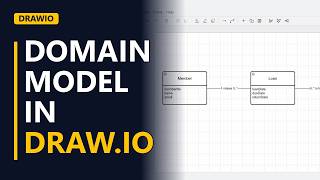 Class Diagram in draw.io for a Domain Model
 Value Stream Map in draw.io: Process Boxes, Wait Times and the Timeline
 Level 1 Data Flow Diagram in draw.io (DFD Step by Step)
 UML Activity Diagram With Swimlanes in draw.io (Fork and Join)
 How to Draw a Context Diagram (Level 0 DFD) in draw.io
 How to Export draw.io Diagrams to PDF, PNG and SVG