Class Diagram in draw.io for a Domain Model
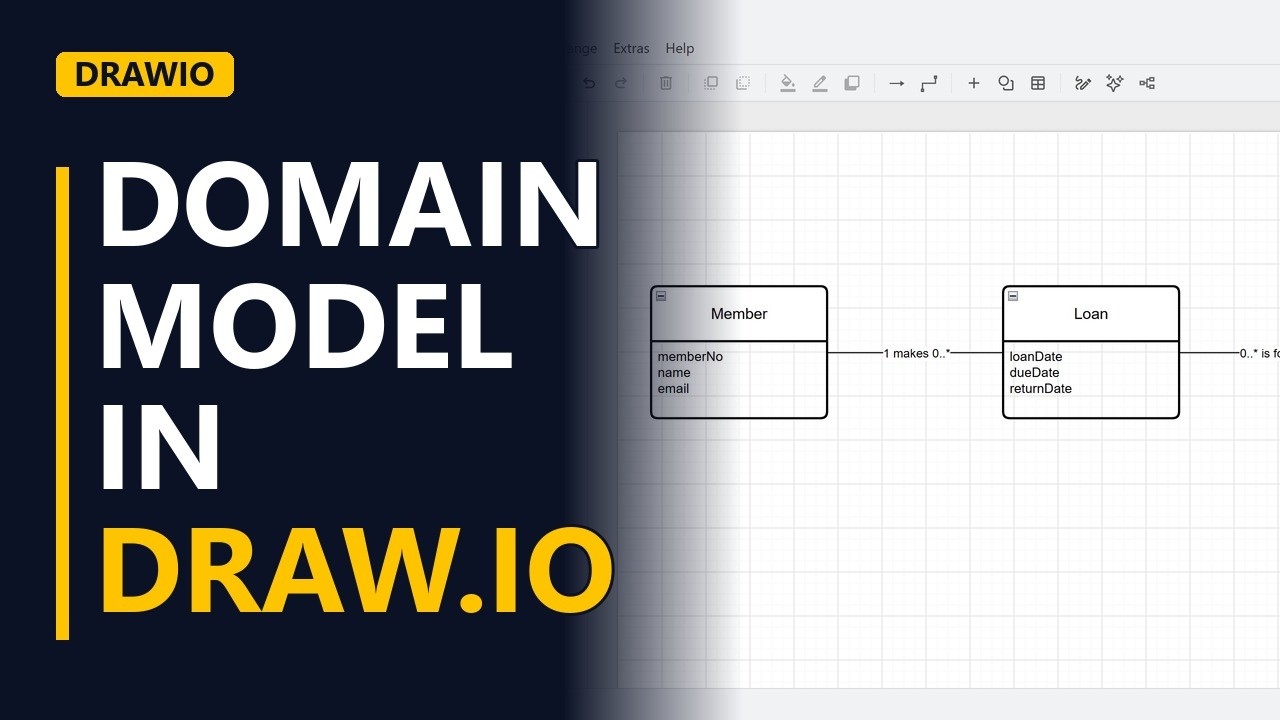
A domain model is a simple class diagram of the things a business works with. Learn how to draw one for free in draw.io: classes with their attributes, associations named with a verb, and the numbers that say how many, using a library system.
Step by step
The things in the business
- Domain models. Before anyone builds a library system, the team must agree on the words. What is a member, a book, a loan? A domain model is a simple class diagram that shows these things. Here is the one we build.
- Blank diagram. Open draw.io and start a blank diagram.
- Class boxes. Each class needs a box with its name on top and a list of attributes below. The Entity box does exactly that. Click More Shapes, tick Entity Relation and click Apply to add those shapes to the shapes panel.
Classes
- Class. A class is a thing the business keeps track of. Drag an Entity box onto the page and name it with a singular noun: Member.
- Attributes. Double-click the lower part of the box and type the attributes, one per line: memberNo, name and email. These are the facts we keep about each member.
- Class. Add a second Entity box on the right and name it Book.
- Attributes. Do the same for Book. Its attributes are isbn, title and author.
The class in the middle
- Loan. A member borrows many books over time, and a book is borrowed by many members. The borrowing has its own facts, so it is a class too: Loan. Drop it in the middle, between Member and Book. Give Loan its attributes: loanDate, dueDate and returnDate.
Associations
- Association. Click Member, hold Ctrl, click Loan, then click the plain Line in the General shapes to join them. Label the line with a verb and the numbers: 1 makes 0..*. One member makes zero or more loans. Join Loan to Book the same way and label it 0..* is for 1. Each loan is for exactly 1 book, and a book can have zero or more loans.
- Read the numbers. Read each line from left to right. The number on each side belongs to the class on that side, and * means many. So 1 member makes 0..* loans, and 0..* loans are for 1 book.
- The finished model. Click an empty part of the page to see the finished domain model: 3 classes, their attributes and 2 named associations.
Recap
- The rules. The rules: name classes with singular nouns, list the facts as attributes, name every association with a verb, and show how many on each side.
Common mistakes
- Plural class names. Name each class with a singular noun, such as Member, not Members. A class describes one thing, and the numbers on the lines say how many.
- Joining Member straight to Book. A direct many-to-many line has nowhere to keep loanDate, dueDate and returnDate. Add Loan as its own class in the middle, with a line to each side.
- Copying other classes' IDs in as attributes. Putting memberNo or isbn inside Loan repeats what the lines already show. In a domain model the association is the link, so list only the class's own facts.
- Lines with no verb or numbers. A bare line says 2 classes are related, but not how. Label every line with a verb and the numbers for both sides, like 1 makes 0..*.
When a business analyst uses this
In a requirements workshop for a new library system, sketch the domain model in draw.io while people talk. When the business says a member can have many loans, you add 1 makes 0..* on the spot, so everyone agrees what Member, Book and Loan mean before the requirements go for sign-off.
Questions people ask
What does 0..* mean in a class diagram?
It means zero or more. A 1 means exactly one, so 1 makes 0..* reads as one member makes zero or more loans.
What is the difference between a domain model and a class diagram?
A domain model is a simple class diagram that shows only the business things: classes, their attributes and the named associations between them. It leaves out software details.
Can I draw a class diagram in draw.io for free?
Yes. draw.io is free, and this domain model uses only its built-in Entity Relation shapes and the plain Line from the General shapes.