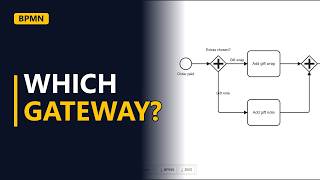
BPMN Example: Online Shop Order to Delivery Process

A worked BPMN example: an online shop's order to delivery process. Model the tasks from order placed to order delivered, a stock decision with labelled yes and no flows, and two end events, in the free bpmn.io modeler.
Step by step
Order to delivery
- Order to delivery. This example models an online shop's order to delivery process. It runs from the customer's order to their door, with one stock decision and two possible endings.
- New diagram. Start a new diagram in bpmn.io. It opens with one thin circle. That is the start event, the moment the process begins.
- Start event. Double-click the start event and type the trigger: Order placed.
Tasks
- Check stock. Click the start event, then the rounded box (a task) in the small menu that appears next to it. Name it Check stock. A task is a piece of work, so name it with a verb and a noun.
Stock decision
- Decision. Click Check stock, then the diamond in its menu to add a gateway. Name it with a short question: In stock?
- Yes path. If the item is in stock, the warehouse starts work. Add a task from the gateway, name it Pack order, and label the arrow from the gateway Yes. Click Pack order and add the next task, Ship order. This is where the parcel goes to the courier. Click Ship order, then the thick circle. That is an end event. Name it after the good result: Order delivered.
- No path. If the item is out of stock, the customer needs to be told. Drag a task from the gateway's menu into the space below it, name it Refund customer, and label that arrow No. This path needs its own ending. Add an end event from Refund customer and name it Order cancelled.
- Decision. Now look at the gateway again. One arrow says Yes and the other says No, so the warehouse and customer service follow the same rule.
- The finished model. Click an empty part of the canvas to see the whole process: 1 start event, 4 tasks, 1 stock decision and 2 end events. Every order ends somewhere.
Recap
- The rules. The rules: start with the trigger, name each task with a verb and a noun, ask one question at the gateway, label both arrows, and give every path an end event.
Common mistakes
- Leaving the gateway's arrows unlabelled. A diamond with two plain arrows doesn't say which way an in-stock order goes. Double-click each arrow and label it Yes or No, so it matches the question In stock?.
- A path with no end event. If Refund customer just stops, readers can't tell if the process is finished or the diagram is. Give each path its own end event, like Order delivered and Order cancelled.
- Putting the work inside the gateway. A gateway only picks a path. It does no work. Do the checking in a task (Check stock) and use the gateway to ask the question (In stock?).
- Vague task names. Names like Stock or Warehouse don't say what happens. Use a verb and a noun, like Pack order or Ship order, so each box is clearly a piece of work.
When a business analyst uses this
In a current-state workshop with the warehouse and customer service teams, a business analyst sketches this model live in bpmn.io. The labelled Yes and No arrows show both teams the same out-of-stock rule. The Order cancelled path is often where missing requirements turn up, like when the customer is told and how fast the refund goes through.
Questions people ask
What is BPMN?
BPMN stands for Business Process Model and Notation. It is a standard set of shapes for drawing processes: circles for events, rounded boxes for tasks, and diamonds for gateways (decisions).
What is BPMN used for?
It is used to show how work flows from a trigger to a result, including decisions and different endings. Business analysts use it to agree on current and future processes with stakeholders, as in this order to delivery example.
Can I save a BPMN example as an XML file?
Yes. bpmn.io saves diagrams as .bpmn files, which are BPMN 2.0 XML. Other BPMN tools can open them, and you can also export the diagram as an image.