BPMN 2.0 Elements Explained: Events, Activities, Gateways, Flows
BPMN 2.0 has many symbols, but they come in a few families: events, activities, gateways and flows. Draw one example of each in the free bpmn.io modeler, using a library's book loan process, and learn how to read every shape.
Step by step
Four families
- BPMN element families. BPMN 2.0 has many symbols, but most of them belong to 4 families: events, activities, gateways and flows. The example is a library book loan, with one of each drawn and named as we go.
Events
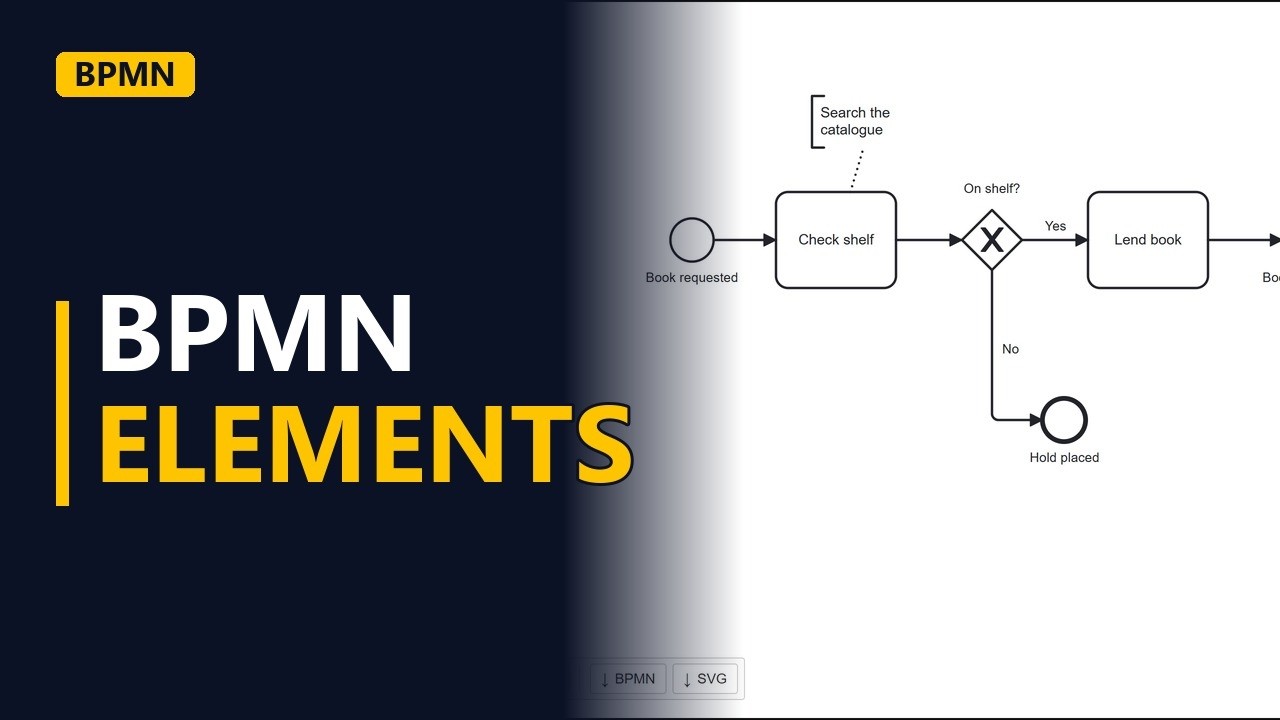
- Events. Start a new diagram in bpmn.io. It opens with a thin circle, which is a start event. Events are things that happen. Name it Book requested.
Activities
- Activities. Activities are the work people or systems do. Click the start event, then the rounded box in the small menu that appears next to it. That adds a task. Name it Check shelf: a verb and a noun.
Flows
- Flows. The solid arrow from Book requested to Check shelf is a sequence flow. It shows the order the work happens in, so you read the process by following the arrows.
Gateways
- Gateways. Gateways are the diamonds. They split or join paths. Click Check shelf, then the diamond in its menu. This one is an exclusive gateway, so only one path is taken. Name it as a question: On shelf? Add the Yes path. From the gateway, append a task called Lend book and label its arrow Yes.
- Events. Click Lend book and add the double circle from its menu. That is an intermediate event, something that happens partway through the process. Name it Book returned. Click Book returned and add the thick circle. That is an end event, where a path finishes. Name it after the result: Loan closed.
- Gateways. Now the No path. Drag an end event from the gateway's menu to the space below it, name it Hold placed, and label its arrow No.
- Flows. Flows also link notes. Click Check shelf, pick the text annotation from its menu and type Search the catalogue. The dotted line that joins them is an association. It attaches a note and is not a step in the process.
- The finished model. Click on empty canvas to see the whole model: 3 kinds of event, 2 tasks, 1 gateway, and both solid and dotted flows.
Recap
- The four families. Circles are events, rounded boxes are activities, diamonds are gateways and lines are flows. Solid arrows carry the work, and dotted lines attach notes.
Common mistakes
- Using the wrong circle. A thin circle starts the process, a double circle happens partway through, and a thick circle ends a path. Mixing them up changes what the model says, so check the border before you name it.
- Naming a task with a noun only. A task called Shelf or Catalogue doesn't say what work happens. Use a verb and a noun, like Check shelf or Lend book.
- Leaving gateway paths unlabelled. If the arrows leaving On shelf? have no Yes and No labels, readers can't tell which path is which. Write the gateway as a question and label every outgoing arrow with an answer.
- Treating a note as a step. A text annotation joined by a dotted association is only a comment, not work in the flow. If searching the catalogue is a real step, add it as a task joined with sequence flows.
When a business analyst uses this
In a process mapping workshop, a BA draws the current approval process live in bpmn.io. They use a start event for the trigger, a task for each piece of work, an exclusive gateway for each yes/no decision and an end event for each outcome. Stakeholders can then check that every path ends somewhere before sign-off.
Questions people ask
What are the main elements of BPMN 2.0?
The core ones are events (circles), activities (rounded boxes), gateways (diamonds) and flows (lines). BPMN also has pools and lanes to show who does the work, and artifacts such as text annotations.
What does an exclusive gateway mean in BPMN?
Only one of its outgoing paths is taken. In this example, the On shelf? gateway sends the loan down either the Yes path or the No path, never both.
What is the difference between a sequence flow and an association in BPMN?
A sequence flow is a solid arrow that shows the order steps happen in. An association is a dotted line that attaches a note, such as a text annotation, and is not part of the flow of work.