
Recommended hosting
Hosting that keeps up with your content.
This site runs on fast, reliable cloud hosting. Plans start at a few dollars a month — no surprise fees.
Affiliate link. If you sign up, this site may earn a commission at no extra cost to you.
⏱ 16 min read
You are about to step into a room where ten different people speak three different languages and all believe they are right. This is not a problem of complexity; it is a problem of translation. Leading cross functional requirements workshops is not about managing a schedule; it is about managing a collision of perspectives until they fuse into something useful.
Here is a quick practical summary:
| Area | What to pay attention to |
|---|---|
| Scope | Define where How to Lead Cross Functional Requirements Workshops actually helps before you expand it across the work. |
| Risk | Check assumptions, source quality, and edge cases before you treat How to Lead Cross Functional Requirements Workshops as settled. |
| Practical use | Start with one repeatable use case so How to Lead Cross Functional Requirements Workshops produces a visible win instead of extra overhead. |
If you treat these sessions as standard meetings, you will fail. The Product Owner brings the “why” and the “what,” but the Engineer sees the “how” and the risk, while the Designer worries about the user journey. Without a deliberate structure, these groups will talk past each other, resulting in requirements that are technically feasible but user-hostile, or beautifully designed but impossible to build.
The goal is not consensus; it is clarity. You need to extract the hidden assumptions, expose the trade-offs, and build a shared mental model. Below is the practical field guide on how to lead cross functional requirements workshops effectively.
The Core Mechanic: Translating Silos into a Shared Language
The first mistake everyone makes is assuming that “requirements” are a static list of features. They are not. Requirements are the negotiation of constraints. When you bring a Frontend Developer and a Data Analyst together, you aren’t just gathering data; you are forcing them to articulate why their current approaches conflict.
Think of it like a language translation exercise. The Product Manager speaks “Business Value,” the Engineer speaks “Technical Debt,” and the QA speaks “Edge Cases.” If you don’t provide a translator (you), the conversation breaks down immediately.
Key Insight: The hardest part of the workshop is not writing the requirements; it is forcing the stakeholders to agree on the definition of “done” before a single line of code is discussed.
To start, you must establish a ground rule that no terminology is safe. Acronyms like “SSO,” “API,” or “UX” mean different things to different people in this room. If the Product Owner says “we need a faster checkout,” the Engineer hears “optimize the database query,” but the Designer hears “reduce the number of clicks.” You must pause every time a term is used and ask: “What does that actually look like?”
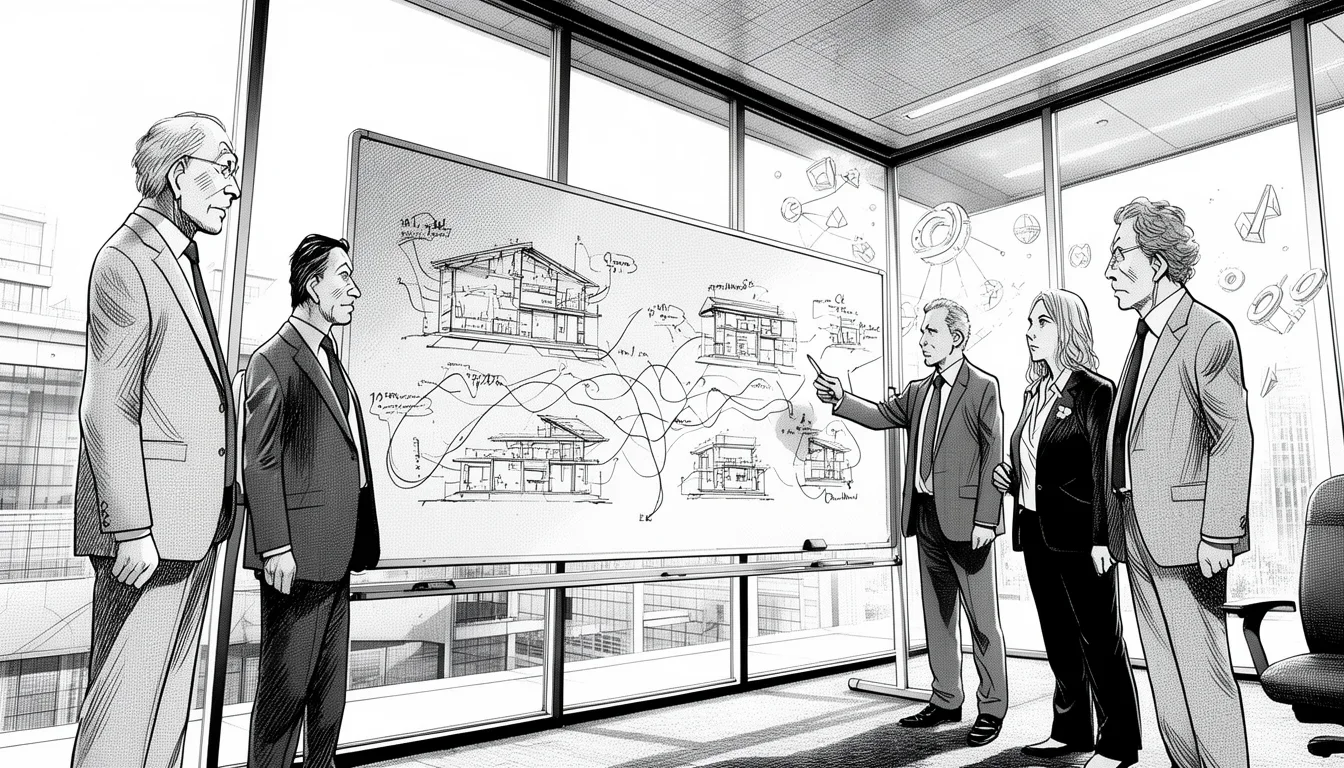
This process requires you to be aggressive. It is tempting to let the loudest voice in the room (usually the one with the most authority) define the terms. Resist that. Instead, use whiteboard mapping to force visual alignment. When words fail, diagrams succeed. A simple flowchart drawn by the stakeholder and critiqued by the engineer reveals misunderstandings instantly that would take hours to verbalize.
The Trap of the “Perfect” Requirement
A common pitfall in these workshops is the attempt to capture every possible scenario. Stakeholders often believe that a “perfect” requirement document prevents future bugs. This is false. A perfect requirement is frozen before the market changes.
Instead, aim for “traceable ambiguity.” You want to know exactly where the uncertainty lies so you can decide later whether to resolve it now or defer it. For example, instead of writing “The system must handle 10,000 concurrent users,” write “The system must handle 10,000 concurrent users during the Black Friday sale, with a plan to scale to 50,000 for Cyber Monday.” This forces the engineering team to define the scaling strategy now, while acknowledging that the exact number is a business decision.
By focusing on the translation mechanic, you shift the dynamic from “us vs. them” to “us solving a puzzle.” The puzzle pieces only fit when everyone agrees on the shape of the hole.
Setting the Stage: Pre-Workshop Preparation That Actually Matters
You cannot lead a successful workshop if the room is full of people who haven’t done their homework. This is where most projects die before they begin. The preparation phase is not administrative; it is strategic intelligence gathering.
Before you book the conference room, you need to identify the “Stakeholder Archetypes.” You will likely have the “Visionary” (who has no idea how things work but thinks they do), the “Realist” (the engineer who knows every technical debt), and the “Lobbyist” (who needs this feature to satisfy a specific client).
Your pre-workshop task is to interview each archetype individually. Do not put them in the room yet. Ask the Visionary: “What is the single metric that defines success for you?” Ask the Realist: “What is the single technical risk that could kill this feature?” Ask the Lobbyist: “What is the deadline, and what happens if we miss it?”
This gives you a map of the battlefield. When you open the workshop, you can address the specific fears and desires of each person immediately. If the Lobbyist is worried about the deadline, you can acknowledge that upfront and frame the discussion around “what is the absolute minimum viable feature to meet that date?”
The Danger of the Silent Majority
In cross functional workshops, the loudest voices often drown out the most critical insights. The senior engineer might dominate the conversation, dismissing the junior developer’s valid concern about a new library. The Product Owner might push hard for a feature, ignoring the compliance officer’s silent hesitation.
Your role is to actively manage the airtime. Use a round-robin technique for critical questions. “Sarah, from a legal perspective, how does this change our data retention?” “David, from an accessibility standpoint, does this meet WCAG 2.1?”
If someone is hesitant to speak, write it down. “I’m noticing a hesitation from the security team. Is there a concern about the proposed data flow that hasn’t been voiced yet?” This validates their expertise without putting them on the spot.
Practical Tip: Send a “Pre-Read” document 48 hours in advance. This should not be the full spec (which doesn’t exist yet). It should be a list of open questions. This forces people to think before they arrive, reducing the time spent on basic explanations and increasing the time for deep problem-solving.
The Agenda: Structuring the Flow for Maximum Alignment
The agenda for a cross functional requirements workshop is different from a standard status update. It needs to be non-linear and iterative. You are not moving from A to B; you are moving from confusion to clarity through cycles of discussion.
Start with the “Why.” Never begin a requirements session by jumping into features. If you do, you will get a list of features that solve the wrong problem. Begin by asking the group to define the problem statement in one sentence. “We want to build a login screen.” That is not a problem. The problem is “Users are abandoning the account creation process because the verification step takes too long.”
Once the problem is agreed upon, move to the “What.” Here is where the friction happens. The Product Owner wants a login button. The Security Lead says, “That requires multi-factor authentication, which adds two steps.” The Designer says, “But we need to keep it under three clicks.”
This is the moment of truth. You must facilitate the trade-off. There is no “right” answer here, only a negotiated compromise. Document every constraint. “We will use MFA, but we will allow biometric authentication to keep the process fast.” This is the kind of specific, actionable output that leads to success.
Then, move to the “How.” This is the technical deep dive. The engineering team needs to understand the data flow, the API endpoints, and the database schema. The Product Owner needs to understand the latency implications. This is where you pull the engineers into the design discussion.
The “Pre-Mortem” Session
A powerful addition to your agenda is a “Pre-Mortem” session. Ask the group to imagine it is six months after launch, and the feature has failed miserably. Why did it fail? “Because we didn’t account for the mobile data usage.” “Because the API times out during high traffic.” “Because users don’t understand the new iconography.”
This technique, often used in project management, forces the group to think about failure modes proactively. It is much easier to agree on a solution to a hypothetical failure than to argue about a feature that might break. It builds a shared sense of responsibility for the outcome.
Structure your agenda to allow for these pivots. Don’t stick rigidly to a timeline. If a critical issue arises regarding data privacy, stop the feature discussion and handle it immediately. The goal is alignment, not speed.
Managing Conflict: Turning Friction into Features
Conflict in these workshops is not a bug; it is a feature. If everyone agrees immediately, you are likely missing a critical perspective. The tension between “Business Needs” and “Technical Reality” is where the best solutions are born.
However, there is a difference between productive conflict and unproductive drama. Productive conflict is focused on the problem: “This approach won’t scale.” Unproductive drama is personal: “You don’t understand the business.” Your job is to keep the friction focused on the work.
When a disagreement arises, pause the debate and write it down. “Disagreement: Should we use real-time updates or batch processing?” Then, assign an action item to investigate. “Engineering to prototype both approaches. Product to review cost implications.” This removes the pressure to decide immediately and allows the data to guide the decision.
The “Idea Parking Lot”
Sometimes, a brilliant idea comes up that is out of scope for this specific workshop. It might be a future enhancement or a feature for a different product line. If you fight it now, you derail the session. If you ignore it, the stakeholder feels unheard.
Create an “Idea Parking Lot” on a whiteboard. When an idea is great but not ready, move it there. “That’s a great idea for the Q3 roadmap, but it doesn’t fit the current sprint. Let’s put it here.” This validates the contributor’s creativity while keeping the focus on the immediate goal.
Another tactic is the “Five Whys” technique. When a requirement seems vague or conflicting, ask “Why?” five times. “We need a faster checkout.” Why? “Because customers are leaving.” Why? “Because the form is too long.” Why? “Because we collect too much data.” Why? “Because we don’t know which fields are essential.” Why? “Because we haven’t analyzed historical drop-off rates.” Suddenly, you are not arguing about speed; you are arguing about data analysis. You have shifted the conversation from a feature request to a strategic insight.
Caution: Never allow the discussion to become a debate on personal preferences. “I like this blue color” is not a requirement. “Users with color blindness need high contrast” is a requirement. Stay strictly on the impact on the user and the system.
Capturing and Validating: The Output That Drives Action
The most frustrating part of these workshops is when the output is just a meeting summary that sits in a folder for six months. Your goal is to produce a “Decision Log” and a “Live Specification” that evolves during the workshop.
Use a shared document or a collaborative tool where everyone can see the requirements being built in real-time. As the group agrees on a requirement, it is added to the document. This creates a living artifact that everyone owns. If someone sees their requirement written down, they are less likely to change their mind later.
The output should include three things:
- The Problem Statement: Clearly defined. “Users are abandoning the cart at the shipping step.”
- The Solution Criteria: Specific and measurable. “Reduce the number of fields in the shipping form from 12 to 5.”
- The Constraints: Technical, budgetary, and legal. “Must integrate with the existing ERP system. Must comply with GDPR.”
The “Definition of Ready” Checklist
Before you leave the workshop, validate the output against a “Definition of Ready” checklist. This ensures that the requirements are actionable for the engineering team.
- Is the problem clearly defined?
- Are the success criteria measurable?
- Are the technical constraints understood?
- Has the business value been confirmed?
- Are the dependencies identified?
If the answer to any of these is “no,” do not close the session. Keep working until the answer is “yes.” A requirement that is not ready to be built is a waste of time.
Key Insight: The best output from a workshop is not a document; it is a decision. Even a “no” decision is valuable because it clarifies what we are not doing.
Common Pitfalls and How to Avoid Them
Even experienced facilitators fall into traps. Here are the most common mistakes in cross functional requirements workshops and how to sidestep them.
The “Scope Creep” Trap
Stakeholders will constantly say, “Oh, while we are at it, can we also add X?” This is the enemy. It dilutes focus and pushes deadlines. Your response must be firm but polite: “That’s a great idea. Let’s note it for the next iteration. For today, we are focusing only on Y.”
The “Black Hole” of Assumptions
Teams often make assumptions about user behavior or technical capabilities without testing them. “We assume users will upload a photo.” “We assume the API will return data in 200ms.” These assumptions must be flagged as “Assumptions” and treated as hypotheses to be tested, not facts.
The “Seniority Bias”
Senior engineers often dominate the technical discussion, dismissing junior developers’ concerns. Similarly, senior product managers may override the QA team’s feedback. You must actively rotate the floor. “Let’s hear from the QA team on the testing strategy.” “Let’s hear from the junior developer on the implementation details.”
The “Documentation Overload”
Trying to write a 50-page document in a two-hour workshop is a recipe for failure. Focus on the decision points. Use diagrams, flowcharts, and bullet points. The documentation can be expanded later; the decision must be captured now.
Use this mistake-pattern table as a second pass:
| Common mistake | Better move |
|---|---|
| Treating How to Lead Cross Functional Requirements Workshops like a universal fix | Define the exact decision or workflow in the work that it should improve first. |
| Copying generic advice | Adjust the approach to your team, data quality, and operating constraints before you standardize it. |
| Chasing completeness too early | Ship one practical version, then expand after you see where How to Lead Cross Functional Requirements Workshops creates real lift. |
Conclusion: The Art of the Facilitator
Leading cross functional requirements workshops is less about having all the answers and more about asking the right questions. It is about creating a safe space where disagreement is encouraged, but personal attacks are not. It is about translating the language of business into the language of code, and vice versa.
When done well, these workshops result in a team that is aligned, a product that meets real user needs, and a development process that is transparent and efficient. The output is not just a set of requirements; it is a shared commitment to a solution.
Remember, the goal is not to get everyone to agree on everything. It is to get everyone to agree on what we are building and why, so that when we inevitably hit a snag, we can solve it together. That is the true measure of a successful facilitator.
Frequently Asked Questions
What is the biggest mistake teams make in cross functional requirements workshops?
The most common mistake is treating the workshop as a “brainstorming session” where anyone can add anything. Without a strict agenda and clear decision-making rules, the session devolves into scope creep and unproductive debate. Teams also often skip the “pre-work” phase, assuming that everyone is already on the same page, which leads to wasted time in the actual session.
How do I handle a stakeholder who refuses to agree on a requirement?
If a stakeholder is stuck on a specific requirement, do not force a vote. Instead, isolate the disagreement. Ask, “What is the underlying concern here?” Often, the disagreement is about risk or resource constraints, not the feature itself. Move that specific concern to a separate discussion or a decision log, and allow the rest of the group to move forward. If the issue is critical, escalate it after the workshop rather than blocking the session.
Can remote teams have effective cross functional requirements workshops?
Yes, but it requires more discipline. Remote workshops need a dedicated digital whiteboard (like Miro or Mural) to replace physical sticky notes. You must be more explicit about turn-taking and use chat functions to capture side thoughts. The lack of physical presence can make it harder to gauge body language, so you must ask direct questions to ensure understanding.
How long should a typical cross functional requirements workshop last?
There is no one-size-fits-all answer, but a half-day session (4 hours including breaks) is usually the sweet spot for a single feature or small set of requirements. Anything longer leads to fatigue and diminishing returns. For complex systems, break the workshop into smaller, focused sessions (e.g., one session for user flow, another for data requirements) rather than trying to do everything in one day.
What if the engineering team says a requirement is impossible?
This is a critical moment. Do not dismiss it as “not enough time.” Instead, ask, “What is the impact of that constraint?” and “Is there a workaround?” Sometimes, the requirement is feasible but requires a different approach. Engage in a “trade-off discussion” where the business side decides if the feature is worth the technical cost. This is where the real value of the workshop is realized.
What tools are best for capturing requirements during these workshops?
Avoid heavy word processors. Use collaborative tools that support diagrams, real-time editing, and comments. Tools like Miro, Mural, or even a shared Google Doc with a structured template work well. The key is that everyone in the room (physically or virtually) can see the same thing in real-time and can modify it instantly to reflect the group’s consensus.
Further Reading: Agile practice for estimating and planning, User-centered design principles
Newsletter
Get practical updates worth opening.
Join the list for new posts, launch updates, and future newsletter issues without spam or daily noise.

Leave a Reply