Backlog Refinement in Jira for Business Analysts (Rank, Estimate, Split)
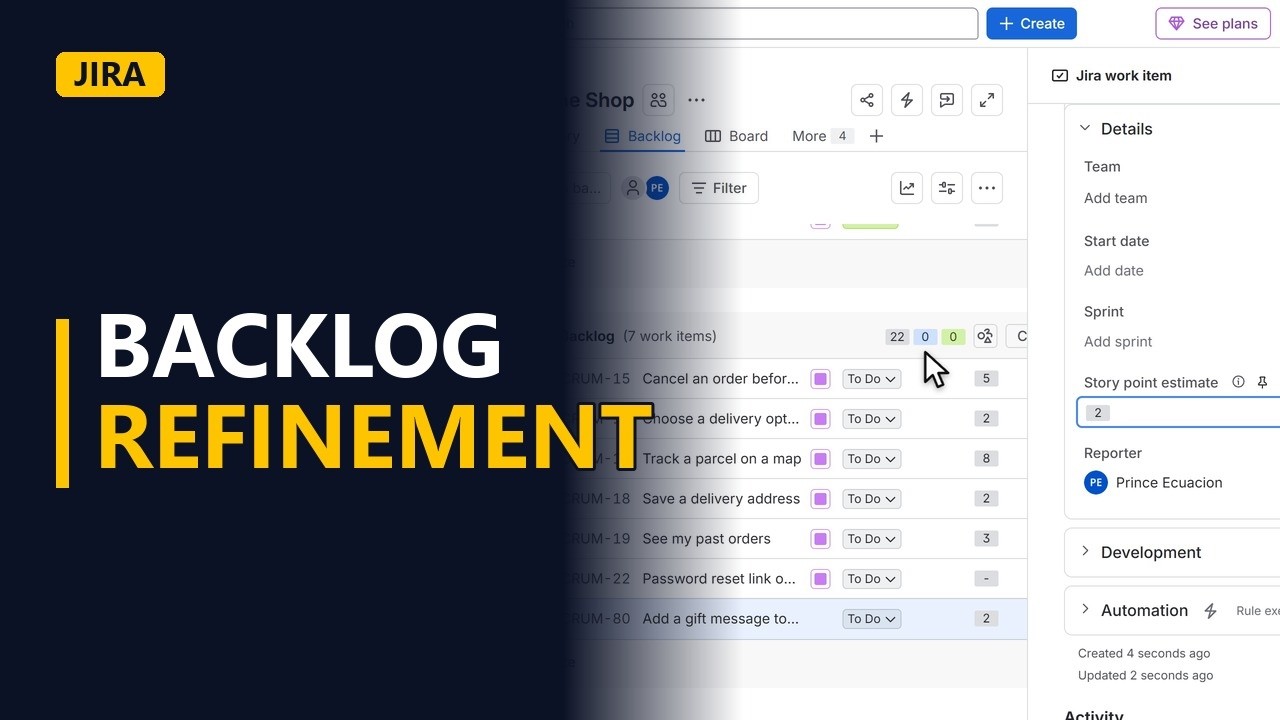
Run backlog refinement in Jira the way analysts do: put the most important story on top, add a new request and estimate it, and spot the stories that are too big and need splitting.
Step by step
Refinement
- Backlog refinement. Backlog refinement keeps the next few sprints ready: the stories are in the right order, each has a size, and none is too big. Here is one run in Jira.
- The backlog. On the Backlog page, the sprint is at the top and the backlog list is under it. The stories at the top of the backlog are what the team builds next.
Rank
- Rank. Shoppers keep asking to cancel orders, so the product owner wants that story first. Drag Cancel an order before it ships to the top of the backlog. The story now sits at the top. The order of this list is the team's plan, so moving a story changes what gets built first.
Estimate
- New request. A new request came in from a meeting, so add it at the bottom of the backlog. Click Create there. Choose the type of work item, which here is Story. Story is the one with the green bookmark icon. Type the title, Add a gift message to an order, and press Enter. The new story appears at the bottom of the backlog.
- Estimate. Open the story. The team talks it through and asks the business analyst questions, such as who writes the message and how long it can be. Once the questions are answered, the team sizes the story. Click the Story point estimate field (in company-managed projects it is usually called Story Points). The team agrees on 2. Type 2 and press Enter, and the story now has a size.
Split
- Too big? Split. Last, look for stories that are too big. Track a parcel on a map is an 8, which won't fit easily into one sprint for this team. Add it to the list to split, by business rule or by workflow step.
- Ready for planning. A story is ready for sprint planning when it is near the top, the team understands it, and its size is small enough to finish in one sprint.
Recap
- Rank, estimate, split. To recap: rank the backlog with the most important story on top, answer the team's questions before they estimate, and split anything too big. Do this every sprint and sprint planning gets much easier.
Common mistakes
- Changing the Priority field to reorder the backlog. In Jira, the backlog order comes from rank, not from the Priority field. Drag the story up or down the list to change what the team builds next.
- Estimating before the questions are answered. If the team sizes a story while rules are still unclear, such as who writes the gift message or how long it can be, the estimate is a guess. Answer the questions first and write the answers into the story.
- The business analyst gives the estimate. Story points come from the team who will build the story, not from the analyst or the product owner. The analyst's job is to explain the need and answer questions.
- Splitting a big story by technical layer. Splitting Track a parcel on a map into a database story and a screen story leaves nothing a shopper can use on its own. Split it by business rule or workflow step so each smaller story still delivers something.
When a business analyst uses this
After a requirements workshop, the analyst adds each new request as a story at the bottom of the backlog. In refinement they answer the team's questions, write the agreed rules into the story's acceptance criteria, and flag any story estimated too big so it can be split before sprint planning.
Questions people ask
Who estimates story points in backlog refinement?
The team who will build the work estimates it. The business analyst and product owner explain the story and answer questions, but they don't choose the number.
How do you change the order of the backlog in Jira?
Drag a story up or down the list on the Backlog page. The top of the list is what the team plans to build next.
When is a story ready for sprint planning?
When it is near the top of the backlog, the team understands it, and it has an estimate small enough to finish in one sprint.


