
Recommended hosting
Hosting that keeps up with your content.
This site runs on fast, reliable cloud hosting. Plans start at a few dollars a month — no surprise fees.
Affiliate link. If you sign up, this site may earn a commission at no extra cost to you.
⏱ 19 min read
Writing user stories in a Waterfall project feels like trying to put a Ferrari engine in a horse-drawn carriage. On the surface, the methods are incompatible. Waterfall relies on rigid phases, fixed requirements, and sequential logic. Agile, conversely, thrives on iteration, uncertainty, and user feedback loops. Yet, many large enterprises, government contractors, and regulated industries still operate on Waterfall. They need change requests, not sprints.
Here is a quick practical summary:
| Area | What to pay attention to |
|---|---|
| Scope | Define where How to Write User Stories in Waterfall: A Practical Guide actually helps before you expand it across the work. |
| Risk | Check assumptions, source quality, and edge cases before you treat How to Write User Stories in Waterfall: A Practical Guide as settled. |
| Practical use | Start with one repeatable use case so How to Write User Stories in Waterfall: A Practical Guide produces a visible win instead of extra overhead. |
This is where How to Write User Stories in Waterfall: A Practical Guide becomes essential. It is not about forcing Agile into a box that hates it; it is about creating a lightweight bridge. You need artifacts that satisfy the legacy requirement of “user-centricity” without triggering the chaos of a sudden pivot. The goal is to capture the who and the what early in the specification phase, ensuring that when the team finally moves to development, they know exactly what the end user needs.
If you are trying to apply Agile terminology to a traditional schedule, you are likely creating confusion rather than clarity. A user story in Waterfall is not a standing meeting item. It is a compact, testable unit of value that sits within a massive, pre-defined plan. To do this well, you must understand the constraints of the environment you are working in.
The core challenge is the timing. In Agile, the story is born in a backlog and refined over time. In Waterfall, the story must be fully formed before the gatekeepers sign off on the budget. This means your definition of “done” for a story must be significantly more rigorous than in an iterative environment. You cannot afford ambiguity when you cannot iterate your way out of a mistake.
The Anatomy of a Waterfall User Story
When you strip away the Agile hype, a user story is simply a promise of value from a specific perspective. In a Waterfall context, this promise must be absolute. It cannot be a hypothesis; it must be a statement of fact. The classic format remains the gold standard because it forces the writer to think about the stakeholder, not just the feature.
In Waterfall, a user story is a contract between the requirements team and the development team. Ambiguity here is not a bug; it is a critical liability that will cost you money later.
To write them effectively, you need to expand the standard “As a… I want… So that…” template. In a linear environment, the “So that” (the value) is often the most neglected part, yet it is the only thing that justifies the cost of the feature. Without a clear value proposition, Waterfall stakeholders cannot approve the change request.
Here is the expanded structure you should use:
- Role: Who is the specific actor? Be concrete. Not “Admin,” but “Shift Supervisor with Badge Level 3.”
- Action: What specific function are they requesting? Avoid vague verbs like “optimize” or “improve.”
- Condition: What must exist for this to work? This is where you define dependencies.
- Value: What business outcome does this drive? This is your justification for the budget.
- Constraint: Are there regulatory or technical limits? Waterfall projects live and die by compliance.
The difference between a good Waterfall story and a bad one is precision. In Agile, you might say, “We’ll figure out the exact reporting layout in the next sprint.” In Waterfall, you must specify the layout now. If the layout is wrong, you are stuck with rework that derails the entire project timeline. Your stories must be written with the assumption that the development phase is a straight line with no U-turns.
Adapting Acceptance Criteria for Linear Environments
This is the most painful part of the process for many teams. In Agile, acceptance criteria (AC) are often a living document that evolves. In Waterfall, the AC is the law. The AC defines the pass/fail condition for the story. If the AC is not met, the story fails the Quality Assurance (QA) phase, and the project risks missing its deadline.
You cannot write ACs in Waterfall based on “nice to haves.” Everything must be mandatory. Every single line of your acceptance criteria must be testable without ambiguity. If a tester cannot say “yes” or “no” after clicking a button, your story is not ready. This rigidity is a double-edged sword. It ensures quality, but it requires immense upfront effort.
Consider the scenario of a banking application. An Agile team might write an AC that says, “Transaction processing is fast.” In Waterfall, that is useless. You must write: “Transaction processing completes within 2.5 seconds under a load of 50 concurrent users.”
The criteria must cover:
- Functional: Does the system behave as expected?
- Non-Functional: Does it meet performance and security standards?
- Exception Handling: What happens if the user inputs invalid data?
- Data Integrity: Is the data saved correctly in the database?
The mistake most people make is treating the AC as a wish list. They write, “User can view the report,” and stop there. Then they ask the developer, “Well, how does it look?” This is the enemy of Waterfall. The developer cannot guess. You must specify the visual layout, the sorting options, the export formats, and the error messages. The AC must be the final reference document for the QA team.
In Waterfall, if your acceptance criteria can be disputed, your project is already at risk. Treat the AC as a legal definition of the product feature, not a suggestion.
Another common pitfall is ignoring the “definition of done” from the broader project standards. In Waterfall, a story is not done until it has passed the formal review board. Your individual story ACs must align with the project-level standards. If the project requires all code to be peer-reviewed before merging, your story’s AC must explicitly state that the code has undergone peer review. You are building a chain of custody for your requirements.
Integrating Stories into the Requirements Phase
The biggest confusion arises from trying to fit user stories into the wrong phase of the Waterfall lifecycle. In Agile, user stories are the requirements. In Waterfall, the requirements phase is a distinct, heavy upfront activity. You do not write user stories during the execution phase; you write them during the Analysis and Requirements Definition phase.
This timing is critical. When you are in the Waterfall “Requirements” phase, you are interviewing stakeholders, gathering data, and documenting the scope. This is the perfect time to convert those gathered insights into user stories. However, you must treat these stories as part of a larger blueprint. They are not independent units; they are the atomic components of the System Requirements Specification (SRS).
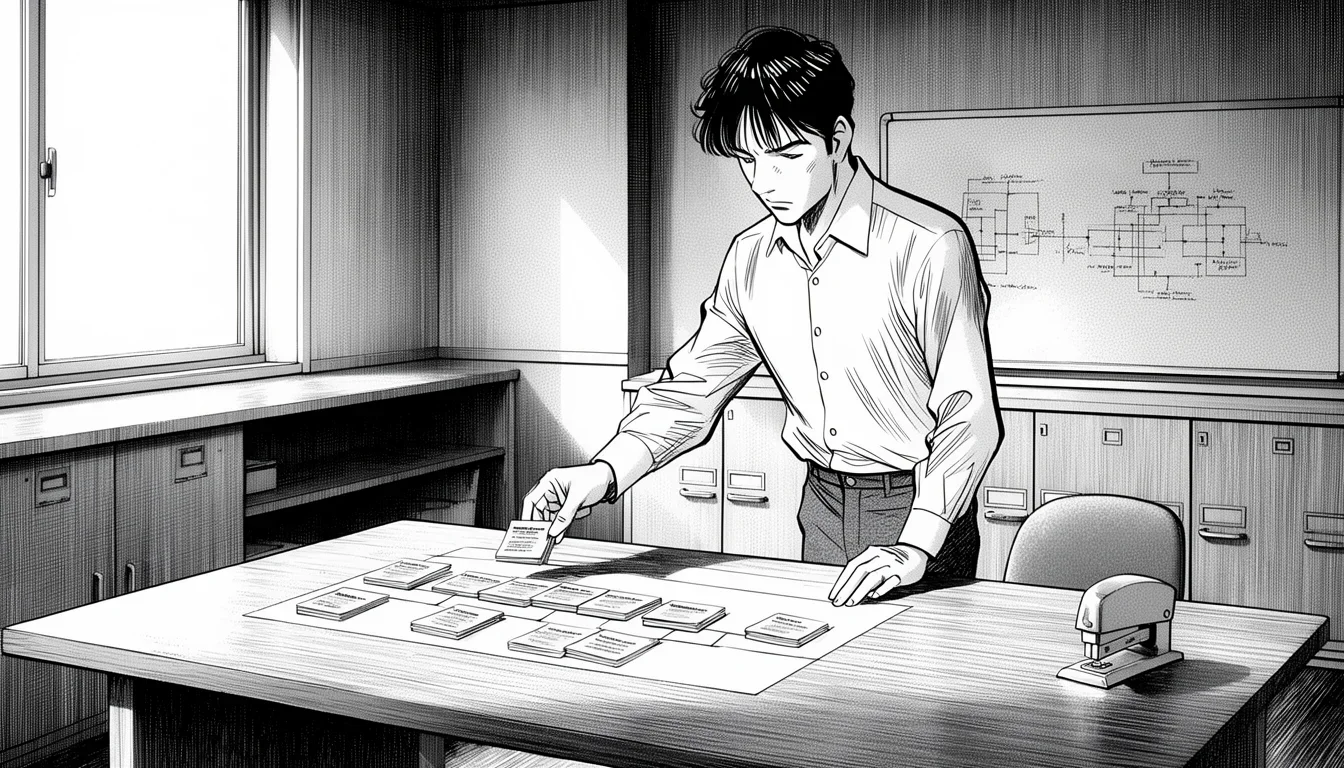
To do this effectively, you need a mapping strategy. You cannot have a random collection of stories. They must map directly to the high-level epics or modules defined in the project charter. For example, if the project charter defines a “Billing Module,” your user stories must be the sub-components of that module.
The process looks like this:
- Epic Definition: Define the major deliverable (e.g., “Customer Portal Launch”).
- Story Breakdown: Break the epic into discrete, testable stories (e.g., “Login,” “Profile Update,” “Invoice View”).
- Traceability Matrix: Create a link between the story, the stakeholder requirement, and the test case.
- Sign-off: Get formal approval on the stories before moving to Design.
The traceability matrix is your lifeline. In Waterfall, you must prove that every line item in the budget corresponds to a user story, and every user story corresponds to a requirement. If a stakeholder asks, “Why are we building this feature?” you can point to the story and the original requirement document. This traceability is non-negotiable in regulated industries.
The mistake here is treating the Requirements phase as a dumping ground. People often write stories loosely, hoping to refine them later. But later is never in Waterfall. If you wait until the Design phase to refine a story, you are too late. The design has already been approved. The code has already been written. The cost of change has skyrocketed. Your stories must be frozen once the Requirements phase is signed off.
Managing Trade-offs Between Speed and Rigor
There is a fundamental tension in writing user stories for Waterfall. You want the speed and flexibility of Agile, but the stability of Waterfall. Trying to have both often leads to frustration. You cannot write a user story in five minutes and expect it to hold up to six months of development. You cannot write a story that is vague and then expect it to be easy to test.
The key is to accept the rigidity of the environment and work within it. If you are in Waterfall, you must write stories that are complete. This means spending more time in the Requirements phase. It means interviewing stakeholders until they say, “That’s it, no more changes.” It means defining edge cases before the first line of code is written.
However, this does not mean you abandon all iterative thinking. You can still use the thinking process of Agile. You can still break down large problems into small, manageable pieces. The difference is that in Waterfall, those small pieces are locked down early. You cannot add a new user story in month four if it wasn’t in the initial plan. Any new story requires a formal Change Request (CR) process, which involves cost analysis, schedule impact, and stakeholder approval.
This is where many projects fail. Teams treat every new idea as a new story and try to slip it into the current plan. In Waterfall, you must kill the idea or move it to a future project. You must be ruthless about scope creep. The user stories you write must represent the complete, final scope of the project.
To manage this, you need a strict change control board (CCB). When a stakeholder suggests a new feature, they must go through the CCB. The CCB evaluates the impact on the timeline and budget. If the cost is too high, the story is rejected. If it is approved, a new user story is written, added to the backlog, and the schedule is adjusted. This process ensures that the user stories remain stable and predictable.
Do not confuse “Agile thinking” with “Agile execution.” You can think in user stories in Waterfall, but you must execute with the discipline of a machine. The stories are the fuel, but the engine is still linear.
The trade-off is time. You spend more time upfront to save time downstream. If you write vague stories, you will spend weeks in rework. If you write precise stories, you might spend days in analysis, but the development phase will be smooth. In Waterfall, analysis time is an investment. In Agile, analysis time is often a cost. You must be willing to pay the upfront cost of precision.
Real-World Scenarios and Common Pitfalls
Theory is one thing; practice is another. Let’s look at how this plays out in real projects and where things typically go wrong. The best way to learn is to see the mistakes and avoid them.
Scenario 1: The Healthcare Compliance Project
Imagine a project to upgrade a hospital’s patient management system. The requirements are strict: HIPAA compliance, real-time data accuracy, and specific integration with legacy equipment. In this environment, writing user stories is a matter of legal necessity.
The Good Approach: The requirements team writes a story: “As a Nurse, I want to scan a patient’s barcode so that the system retrieves the correct medical history without error.” The acceptance criteria specify the exact error rates, the latency limits, and the audit logging requirements. The story is reviewed by the legal team and the IT security team. It is frozen. The development team builds exactly what is specified.
The Pitfall: The team decides to skip the detailed ACs to save time. They assume the security team will catch the issues later. In Waterfall, this assumption is fatal. The security audit happens at the end of the project. If the story fails the audit, the entire release is blocked. The rework costs are astronomical because the system has been built and tested multiple times.
Scenario 2: The Government Procurement System
A government agency is building a procurement portal. The timeline is fixed by a contract deadline. The stakeholders are bureaucratic and slow to respond.
The Good Approach: The team uses a strict template for the stories. Every story is linked to a specific section of the Request for Proposal (RFP). This ensures that the deliverables match the contract. The team spends weeks interviewing the procurement officers to get the exact wording of the requirements. They write stories that mirror the contract language.
The Pitfall: The team writes stories based on their own interpretation of the RFP. They assume “fast processing” means 5 seconds. The contract actually means 3 seconds. The team builds the 5-second system. The client rejects it. The project is delayed. The lesson is clear: In Waterfall, your stories must be written in the language of the contract, not the language of the developer.
Common Mistakes to Avoid
- Writing Stories Too Late: Waiting until the Design phase to write stories. This leaves no time for validation.
- Vague Acceptance Criteria: Using subjective terms like “user-friendly” or “fast.” These cannot be tested.
- Ignoring Dependencies: Failing to note that Story B cannot start until Story A is done. In Waterfall, dependencies are the schedule.
- Assuming Flexibility: Thinking you can change the story mid-stream without a formal process. You cannot.
- Skipping the “So That”: Focusing on the feature (“I want a button”) and ignoring the value (“So that I can process payments faster”). The value is the justification for the cost.
By avoiding these pitfalls, you can create a robust set of user stories that serve the Waterfall project effectively. The stories become the backbone of your documentation, ensuring that everyone from the project manager to the developer to the auditor is on the same page.
Tools and Templates for Waterfall Story Writing
You don’t need fancy Agile tools to write user stories in Waterfall. In fact, using the wrong tool can add unnecessary complexity. The best tools for Waterfall are often the simplest: spreadsheets, document repositories, or specialized requirements management software.
Spreadsheet Approach
For smaller projects or teams without a budget for enterprise software, a well-structured spreadsheet is often the best option. You can use columns for the standard story elements.
| ID | Role | Action | Condition | Value | AC Summary | Status | Owner |
| :— | :— | :— | :— :— | :— | :— | :— |
| US-001 | Admin | Export Report | PDF format | Financial audit | Validates header, date range, file size <5MB | Draft | Jane Doe |
| US-002 | Manager | Approve Budget | Mobile view | Faster decision making | Button click, 2FA required, timeout 30s | Approved | John Smith |
This format allows you to sort, filter, and track the progress of each story. You can add columns for “Test Case ID,” “Review Date,” and “Compliance Check.” The key is consistency. Everyone on the team must use the same format. This makes it easy to generate reports for stakeholders and ensures that no critical information is lost.
Document Repository Approach
For larger projects, a document repository like Confluence or SharePoint is better. Here, each user story is a separate page. This allows for more detailed documentation, including diagrams, wireframes, and linked requirements.
The advantage of the repository approach is the ability to link stories to other artifacts. You can link a story to a specific section of the System Requirements Specification. You can link the acceptance criteria to a test plan. This creates a web of knowledge that is essential for traceability.
However, the downside is maintenance. If you are not careful, the document can become a graveyard of outdated information. You must have a process for version control. If a story is updated, you must mark the previous version as “Superseded.” In Waterfall, version control is critical. You need to know exactly which version of the story the code was built against.
Enterprise Requirements Tools
For large-scale, regulated projects, specialized tools like DOORS, JAMA, or IBM Engineering are standard. These tools are designed specifically for traceability and compliance. They allow you to define relationships between requirements, stories, test cases, and defects.
These tools are expensive and require training, but they are necessary for projects where the cost of a mistake is measured in millions of dollars or legal penalties. They provide the level of rigor that Waterfall demands. You can configure them to enforce mandatory fields, ensuring that no story is created without a defined role, action, and value.
The Template Structure
Regardless of the tool, you should have a standard template. Here is a recommended structure for a Waterfall user story:
- Title: Concise summary of the feature.
- ID: Unique identifier (e.g., REQ-US-001).
- Stakeholder: Who requested this?
- Role: Who is the user?
- Description: The full story (As a… I want… So that…).
- Business Value: The ROI or strategic benefit.
- Acceptance Criteria: The detailed list of pass/fail conditions.
- Dependencies: What else must be done before this?
- Constraints: Regulatory, technical, or environmental limits.
- Status: Draft, Reviewed, Approved, In Progress, Done.
Using a consistent template ensures that all stories are of equal quality. It prevents the “good enough” mentality that can lead to technical debt. It forces the writer to think through every aspect of the story before it is approved.
Bridging the Gap: From Waterfall to Hybrid
While this guide focuses on Waterfall, it is worth noting that the industry is shifting. Many organizations are moving toward a hybrid model. They keep the upfront planning of Waterfall but introduce iterative development cycles. In this environment, writing user stories becomes even more critical.
In a hybrid model, you still need the precision of Waterfall for the initial scope. You need to know what you are building before you start. But you also need the flexibility of Agile to adapt to changes during development. This means your user stories must be written in a way that allows for some refinement later.
The key is to write stories that are “shippable” but not “final.” You can break the story down into smaller tasks that can be completed in a sprint, even if the overall scope is fixed. This allows you to get value earlier in the project without sacrificing the overall timeline.
However, you must be careful not to drift into pure Agile. If you start changing the stories freely during the project, you lose the benefits of Waterfall: predictability and control. The user stories must remain the anchor. They define the scope. The execution can be iterative, but the destination is fixed.
The danger of a hybrid model is trying to have your cake and eat it too. If you plan like Waterfall but execute like Agile, you will fail. You must decide on the level of flexibility you need and write your stories accordingly.
In a hybrid environment, you might use the same templates as in Waterfall, but you allow for more frequent reviews. You might allow the acceptance criteria to be refined slightly between sprints, as long as the core value proposition remains unchanged. This requires a high degree of discipline and clear communication between the requirements team and the development team.
Use this mistake-pattern table as a second pass:
| Common mistake | Better move |
|---|---|
| Treating How to Write User Stories in Waterfall: A Practical Guide like a universal fix | Define the exact decision or workflow in the work that it should improve first. |
| Copying generic advice | Adjust the approach to your team, data quality, and operating constraints before you standardize it. |
| Chasing completeness too early | Ship one practical version, then expand after you see where How to Write User Stories in Waterfall: A Practical Guide creates real lift. |
Conclusion
Writing user stories in a Waterfall project is not about adopting Agile buzzwords. It is about applying a disciplined, user-focused approach to a traditional, linear process. It requires a shift in mindset: from “we will figure it out later” to “we must get it right now.”
The user story becomes the linchpin of the project. It connects the stakeholder’s needs to the developer’s code. It ensures that every line of code serves a purpose and every feature delivers value. By following the principles outlined in How to Write User Stories in Waterfall: A Practical Guide, you can create a set of artifacts that are robust, testable, and aligned with the project goals.
The challenge is real. The constraints are tight. The risk of rework is high. But the reward is a project that delivers exactly what was promised, on time and within budget. This is the power of precise requirements. When you take the time to write the right user stories, you build a foundation that can support the entire weight of the project. Do not skip the hard work of the Requirements phase. It is the most important part of the process.
Your stories must be clear, specific, and unambiguous. They must withstand the scrutiny of the QA team and the demands of the stakeholders. If you can achieve this, you will have transformed a rigid process into a vehicle for delivering real value to your users. The Ferrari engine is still in the carriage, but now you know exactly how to drive it.
Further Reading: PMI Guide to Project Management
Newsletter
Get practical updates worth opening.
Join the list for new posts, launch updates, and future newsletter issues without spam or daily noise.

Leave a Reply